
Usage
This section covers day-to-day interaction patterns for users who need to read, write, pin, and synchronize state.
It focuses on the Sync Web 1.5 general interface shape.
Graphical Interface
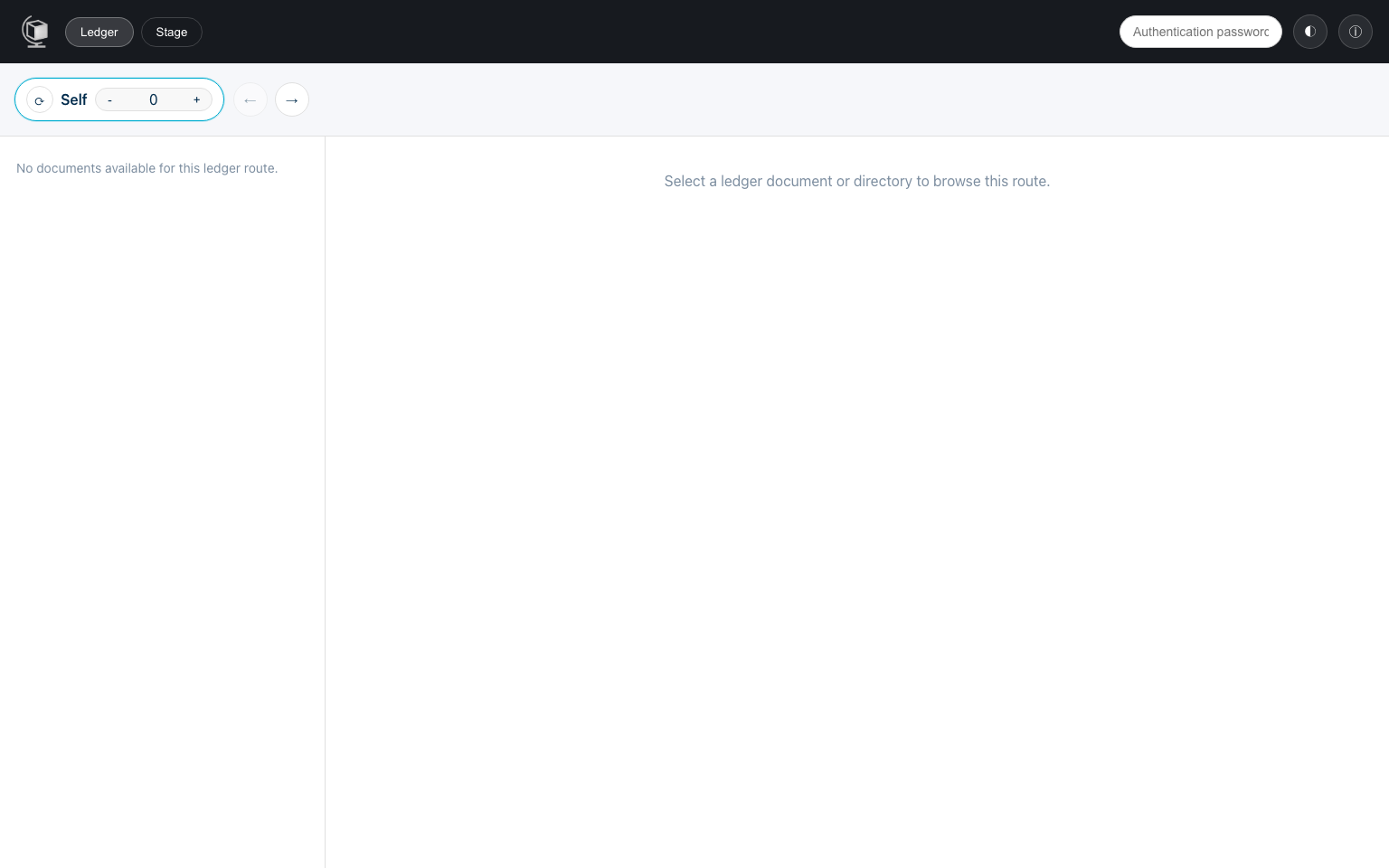
Section titled “Graphical Interface”The general compose network exposes three primary web clients and one filesystem-oriented service: Explorer (/explorer/), Workbench (/workbench/), Gateway (/docs plus /api/v1/...), and File System (WebDAV at /webdav/).
Together they cover the full operator/developer loop: inspect data, make changes, verify outcomes, mount journal state into ordinary file tools, and convert successful workflows into repeatable API calls.
Explorer
Section titled “Explorer”The Explorer is the state-navigation and content-management interface. It has four explicit modes:
Ledger- the default landing mode
- route-based browsing of committed state across bridges and snapshots
Stage- editable staged state at
Selfor the selected working journal - document and directory oriented editing actions using federated
get/set!when routed
- editable staged state at
Access- Self-local path-scoped
get,set!, andresolvegrants - unavailable while a remote working route is selected
- Self-local path-scoped
Admin- visible only to local interface admins and available only at
Self - bridge registration and local bridge endpoint sharing
- public window-size edits and interface admin-list management
- visible only to local interface admins and available only at
Typical Explorer workflow:
- Start in
Ledgerand synchronize to the latest committed root. - Use the working route to select
Selfor a terminal journal. Every breadcrumb is clickable: selectingSelf, an intermediate journal, or the current terminal verifies that route prefix and resets both Stage and Ledger to its shared(*state*)namespace root while preserving prefix Ledger snapshots. Adding or removing a hop follows the same rule; owner-relative suffixes are not carried between journals. The permanent*state*row above the tree children returns to the exact current Stage route or Ledger route/snapshot root. The signed-in user’s existing folder is sorted first and emphasized without renaming it. Other user folders remain navigable when public or explicit sharing grants permit access. When grants begin deeper in a namespace, each ancestor exposes its ordinary immediate folder names for navigation, while opening a child still requires applicable public or principal-specific authority. Explicit deep links remain exact, and Ledger synchronization or snapshot changes preserve an accessible current path with namespace-root fallback. Use Ledger’s mirrored index controls for historical snapshots. - Select a document to switch among
Content, view-onlyRaw, and (in Ledger) proof/verification views. Raw preserves exact stored bytes: inert UTF-8/source where valid, allowlisted browser-native media previews selected by bounded magic-byte checks and safe document-name hints, and hex/download fallback otherwise. - Use the
StageandLedgertabs as Self-root navigation controls: every click, including the active tab, returns the working route and both selections to Self(*state*), then selects that mode. Use Stage when you want to edit staged documents and directories. Raw remains view-only in Stage and Ledger. - Use stage actions to create documents/directories, upload documents, edit content, and download documents. A denied tree expansion shows an alert beneath that row without replacing the tree, so allowed siblings and upward navigation remain available.
- Return the working route to
Selfbefore usingAccessorAdminto manage local policy, bridges, retention settings, or administrators. In Access, a structurally remote principal automatically receives the fixedkey-index (-32 -1)used for terminal-local bridge-state authentication; Explorer does not expose controls for this range. Exact local(*state* USER)and(*public*)principals omit the field. The independentDocument history window, initially0 … -1, applies only to resolve and governs committed document-history indexes. The complete stored rule is retained so deletion uses its exact identity. Owner-relative rule paths accept ordinary whitespace-separated segments or quoted human segments such asdata "private documents"; backslash escapes literal separators, quotes, and backslashes. Each human segment is encoded exactly once (a%20bbecomes storeda%2520b), decoded for display, and retained raw for exact deletion. Administrators explicitly load a username or exact*state* USER, and stale namespace responses cannot replace the selected target.
Admin mutations are serialized and failed values remain editable until a mutation and authoritative reload both succeed. Bridge deletion and incoming-preapproval removal require confirmation. Retention-window decreases show authoritative old/new values and warn that pruned unpinned history cannot be resurrected by widening; equal/increased windows proceed without confirmation, and an unknown current size refuses mutation.
The Explorer is best for operational tasks and data exploration because it separates committed Ledger inspection from staged editing while keeping both under one explicit working route.
Workbench
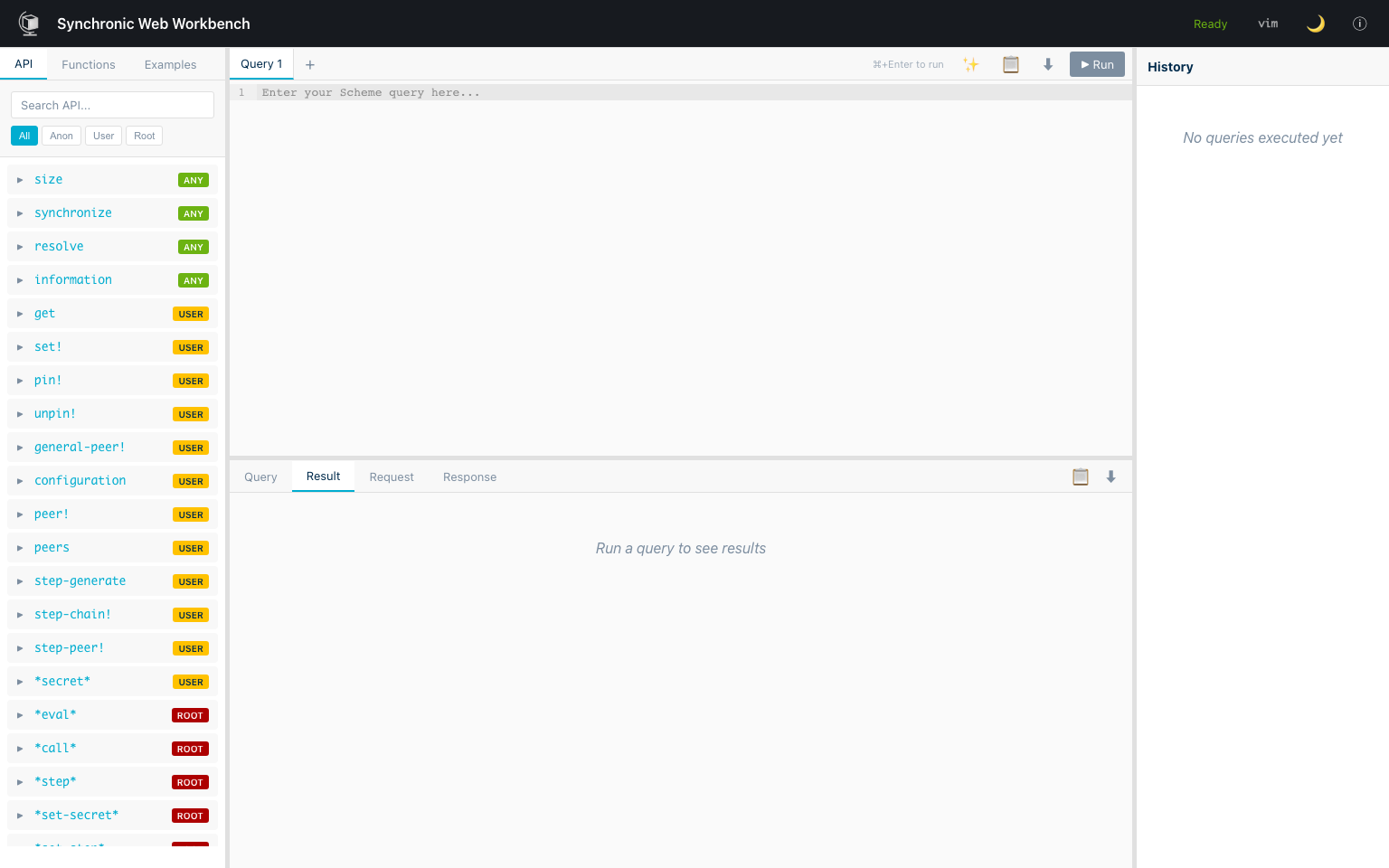
Section titled “Workbench”The Workbench is the API-oriented query environment. Use it when you want precise control over requests, fast iteration on payload shape, and direct inspection of results.
Typical Workbench workflow:
- Start from a known request pattern (for example
get,set!,pin!, orbridge!). - Run the request in Scheme form and inspect the returned value.
- Iterate on arguments/authentication until behavior matches intent.
- Use the final request as a template for automation or service integration.
The Workbench is best for debugging and integration development because it exposes the request/response layer directly.
Gateway
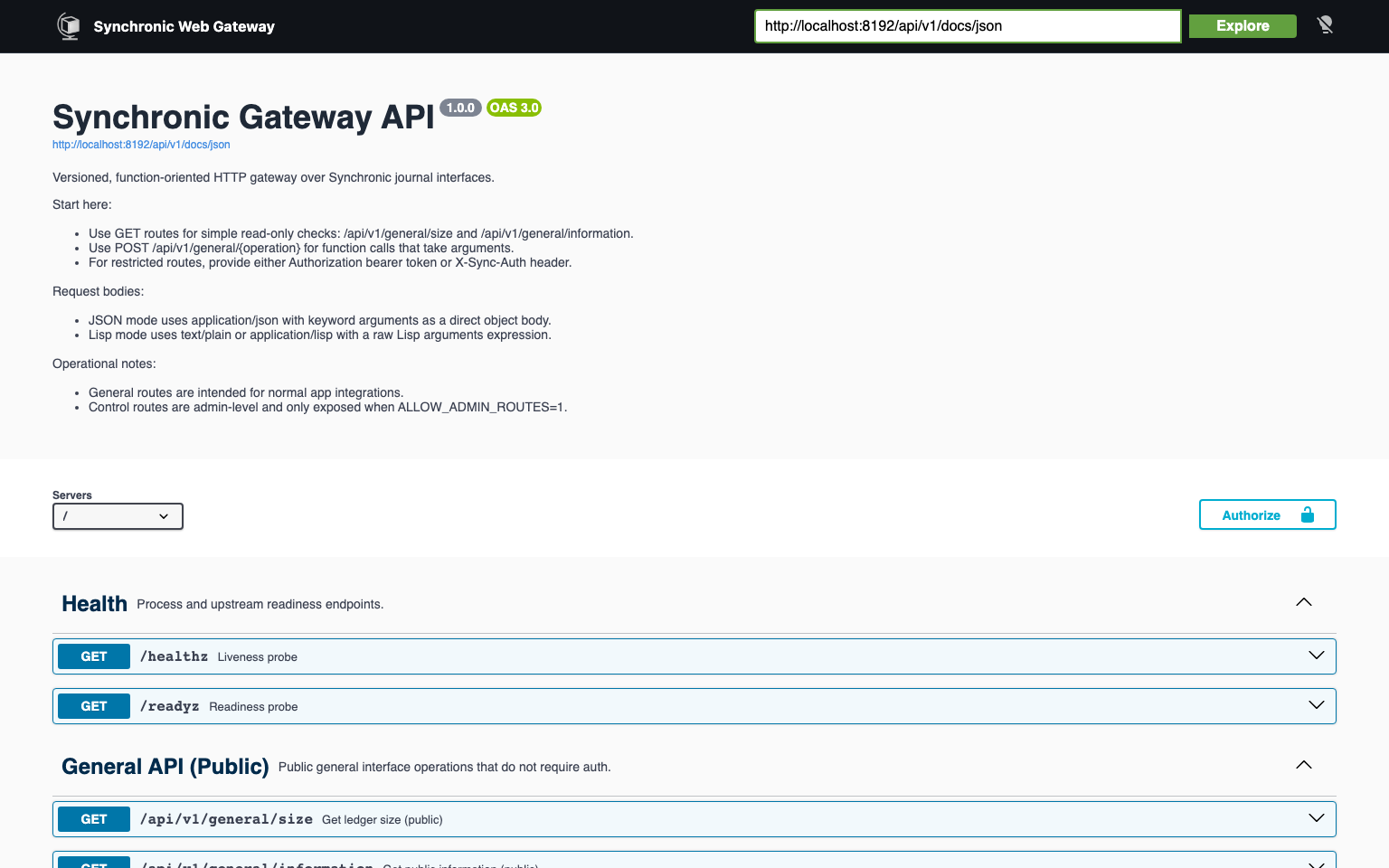
Section titled “Gateway”The Gateway is the web-facing API surface for journal operations. Use it when clients should call stable, versioned HTTP routes instead of direct function-shaped interface requests.
Typical Gateway workflow:
- Start with
GET /docsto review request and response schemas. - Use
GET /api/v1/general/sizeor another stable route to validate connectivity. - Use public
GETroutes forsizeandinfo; bridge protocol operations such asroute, constrainedtrace, andsynchronize!use publicPOSTroutes. - Execute restricted application/local administration and optional
rootoperations through authenticatedPOSTroutes. - Move validated requests into application clients or automation scripts using the same gateway contracts.
The Gateway is best for service integration because it standardizes journal calls into HTTP endpoints with explicit request validation.
File System
Section titled “File System”The File System service projects journal state through WebDAV. Use it when existing tools should interact with Synchronic Web data through ordinary file and directory operations instead of direct API calls.
Typical File System workflow:
- Mount the share and work in
/stagefor ordinary mutable file operations. - Browse
/ledger/statefor current committed content. - Browse
/ledger/<index>/statefor a specific prior committed snapshot. - Traverse
/ledger/bridge/<name>/statefor a bridged peer’s current committed state. - Use
/control/pinfor explicit pin and unpin directives on discovered ledger paths.
The File System service is best for shell tools, editors, archives, source trees, and other workflows that already expect a hierarchical filesystem.
Filesystem projection overview:
/├── stage/│ └── ...├── ledger/│ ├── state/ (defaults to current head)│ │ └── ...│ ├── <index>/ (explicit historical snapshot)│ │ ├── state/│ │ │ └── ...│ │ └── bridge/│ │ └── <name>/│ │ ├── state/│ │ └── ...│ └── bridge/│ └── <name>/ (defaults to current head)│ ├── state/│ │ └── ...│ └── bridge/│ └── ...└── control/ └── pinKey semantics:
/stageis mutable./ledger/...is readable but content-immutable.- omitting an explicit
<index>anywhere in a ledger path defaults to the current head (-1). - once you enter any
state/subtree, remaining path segments are ordinary file and directory names. - WebDAV Basic Auth uses a Sync Web API token as the password, not the account password.
- file names that are unsafe as unescaped Scheme symbols are percent-escaped at the service boundary and decoded again for listings.
/control/pinis a synthetic UTF-8 file for pin and unpin directives against discovered/ledger/...paths.
Programmatic API
Section titled “Programmatic API”Programmatic access is typically where teams standardize integrations across multiple services. The sections below focus on stable request patterns that are easy to lint, test, and automate.
Endpoint Catalog
Section titled “Endpoint Catalog”Use this catalog as a quick orientation map.
The /interface execution endpoint accepts Scheme or JSON runtime calls via content negotiation, while the conversion endpoints are for debugging and payload authoring.
| Endpoint | Description |
|---|---|
POST /interface | Executes Scheme requests or JSON requests depending on Content-Type. |
POST /interface/scheme-to-json | Converts Scheme expressions into JSON payload representations. |
POST /interface/json-to-scheme | Converts JSON payloads back into Scheme forms for debugging and validation. |
Ledger Path Syntax
Section titled “Ledger Path Syntax”Public ledger/interface paths use flat token lists. In Scheme, write local paths as (*state* alice notes) or (-1 *state* alice notes). Bridge traversal is a concise prefix of directional bridge names with optional indexes: (-1 partner 12 archive *state* bob report) selects the current local head, partner index 12, the current archive head, and then Bob’s terminal-local report. In JSON, the same path is [-1, "partner", 12, "archive", "*state*", "bob", "report"].
An optional leading integer selects the local head; each optional integer after a bridge name selects that destination journal’s head. Every omitted index defaults to the current head (-1). A namespace marker such as *state* ends traversal, so remaining tokens are ordinary terminal-local path segments. Nested list paths are an internal ledger representation and are not accepted as public API input.
Authentication and Authorization
Section titled “Authentication and Authorization”Authentication
Section titled “Authentication”Restricted operations require an authentication field that identifies the caller and carries the interface secret.
Two caller identities are recognized:
- Local user principal (e.g.
(*state* alice)): a registered local user. The gateway injects this automatically when you are logged in via Kratos. When calling the interface directly, you supply the principal path and the interface secret. - Root journal caller: omit
identityin the authentication block, which normalizes to(). This is used by journal automation and has no path restrictions.
When calling through the gateway (/api/v1/...), you do not construct the authentication block — the gateway handles it from your session or API token. When calling the interface directly (/interface), you supply it manually:
(authentication ((identity (*state* alice)) (credentials "interface-secret")))"authentication": { "identity": ["*state*", "alice"], "credentials": {"*type/string*": "interface-secret"}}Namespaces and explicit grants
Section titled “Namespaces and explicit grants”Each local user’s owned namespace is (*state* <username> ...). Owners and local interface administrators can access that namespace. Other local or bridge-derived principals are denied unless the owner creates a recursive path-scoped rule.
A remote rule names the exact terminal-relative principal and the allowed application functions:
((principal (partner *state* alice)) (key-index (-1 -1)) (path (shared inbox)) (get #t) (set! #t) (resolve (0 -1)))key-index is required for remote principals and constrains which terminal-local committed bridge state may authenticate the remote signing key. The separate resolve range constrains document-history indexes. Local and public rules omit key-index. Bridge creation alone grants no application access. Gateway authorize and deauthorize transport the complete exact rule and remain Self-local; $federation is rejected.
A (*public*) rule applies to every caller for the enabled operations. Grants do not need separate parent rules for navigation: a descendant grant permits reading the ordinary immediate listing of each ancestor directory. For example, a public grant at (data public) lets callers traverse admin → data and see the names of all folders beneath data; opening any non-public folder still requires its own principal-specific grant.
Authorization tiers
Section titled “Authorization tiers”| Tier | Identity | Privileges |
|---|---|---|
| Root | omitted local identity | All local query-interface operations. |
| Local admin | Local principal path in the admin list | All local query-interface operations. |
| Owner | Local (*state* <user>) principal | Own namespace and own authorization rules; cannot invoke call! unless separately configured as an Interface administrator. |
| Granted principal | Exact local or bridge-derived principal | Only explicitly granted get, set!, and/or resolve paths. Authorization rules do not grant call!. |
| Public | (*public*) | Only explicitly public data/proof and constrained bridge-control structure. |
Interface administrators must be local principals. Bridge-derived principals cannot be administrators. Staged get-batch/set-batch! may use one signed working route, while resolve-batch groups canonical committed paths and routes compatible groups internally. Pin/unpin batches retain or cut proofs only at the origin. Bridge management, configuration, access management, retention mutation, and secret/window changes remain local-only.
Request Envelope
Section titled “Request Envelope”Most JSON integrations can standardize on this envelope and only vary function and arguments.
That keeps client implementations simple and makes troubleshooting easier across services.
| Field | Type | Required | Notes |
|---|---|---|---|
function | symbol/string | Yes | API function name |
arguments | object / association list | Usually | Keyword-style fields for ledger calls |
authentication | alist / object | Restricted calls | ((identity (*state* alice)) (credentials "secret")) for local users, or ((credentials "secret")) for the root journal caller |
Note:
In Scheme form, API queries are association lists. In JSON form, they are objects with equivalent fields.
Operation Examples
Section titled “Operation Examples”These examples are intentionally minimal and map directly to frequently used workflows. You can copy them into Workbench first, then move them into automation once validated.
Read (get)
Section titled “Read (get)”((function get) (arguments ((path (*state* docs article hash)))) (authentication ((identity (*state* alice)) (credentials "password")))){ "function": "get", "arguments": { "path": ["*state*", "docs", "article", "hash"] }, "authentication": { "identity": ["*state*", "alice"], "credentials": {"*type/string*": "password"} }}Info:
getreads current Stage. Useresolvewithpinned?andproof?for committed history and verifiable proof material.
Write (set!)
Section titled “Write (set!)”((function set!) (arguments ((path (*state* docs article hash)) (value "0xabc123") (expression? #t))) (authentication ((identity (*state* alice)) (credentials "password")))){ "function": "set!", "arguments": { "path": ["*state*", "docs", "article", "hash"], "value": "0xabc123", "expression?": true }, "authentication": { "identity": ["*state*", "alice"], "credentials": {"*type/string*": "password"} }}Federated committed read (resolve)
Section titled “Federated committed read (resolve)”Gateway JSON callers add a reserved $federation context to the ordinary operation arguments. Only get, set, and resolve accept a non-empty route; only resolve accepts history, with one index for Self plus one for every route hop.
{ "path": [7, "*state*", "bob", "shared", "message"], "pinned?": true, "proof?": true, "$federation": { "route": ["carol", "bob"], "history": [-1, 4, 7] }}The Gateway removes $federation from arguments, the origin journal signs a direct terminal invocation, and the returned proof is checked against the exact selected terminal object.
Pin (pin!)
Section titled “Pin (pin!)”((function pin!) (arguments ((path (-1 *state* docs article hash)))) (authentication ((identity (*state* alice)) (credentials "password")))){ "function": "pin!", "arguments": {"path": [-1, "*state*", "docs", "article", "hash"]}, "authentication": { "identity": ["*state*", "alice"], "credentials": {"*type/string*": "password"} }}Pin and unpin are always local retention operations. For remote content, first perform a federated resolve with proof? enabled, then pin the returned proof at its full Self-relative bridge/history path. Explorer performs this two-step workflow automatically; it never asks the terminal journal to pin on the origin’s behalf.
Bridge (bridge!)
Section titled “Bridge (bridge!)”((function bridge!) (arguments ((name journal_b) (interface "http://journal-b.example.org/api/v1/journal/interface") (remote-name journal_a))) (authentication ((credentials "password")))){ "function": "bridge!", "arguments": { "name": "journal_b", "interface": {"*type/string*": "http://journal-b.example.org/api/v1/journal/interface"}, "remote-name": "journal_a" }, "authentication": { "credentials": {"*type/string*": "password"} }}JSON/Scheme Conversion
Section titled “JSON/Scheme Conversion”The converter treats JSON and Scheme as structurally equivalent where possible.
Core Mapping
Section titled “Core Mapping”This mapping is the key mental model for moving between web client payloads and Scheme-native request forms. Once this is clear, advanced payloads become much easier to reason about.
| Scheme | JSON |
|---|---|
| symbol | string |
| list | array |
association list ((k v) ...) | object { "k": v, ... } |
| object-shaped assoc list | object |
Special Types
Section titled “Special Types”Special type wrappers are only needed where plain JSON cannot preserve Lisp/runtime semantics. If a payload seems unexpectedly interpreted, check whether a special type marker is required.
| JSON marker | Scheme value |
|---|---|
{"*type/string*": "text"} | string |
{"*type/quoted*": ...} | (quote ...) |
{"*type/byte-vector*": "deadbeef"} | byte-vector |
{"*type/vector*": [...]} | vector |
{"*type/pair*": [a, b]} | dotted pair (a . b) |
{"*type/rational*": "1/3"} | rational |
{"*type/complex*": "1+2i"} | complex |
Practical Guidance
Section titled “Practical Guidance”Use /interface/scheme-to-json to generate exact JSON for complex expressions, and use /interface/json-to-scheme when debugging client payloads or validating round-trip conversions.
For web clients, prefer object-shaped API queries (function, arguments, authentication) because they remain easier to read and diff than raw array forms, and reserve array-shaped JSON for raw root command calls.
Prefer *type/string* for literal strings in JSON payloads whenever you need to avoid ambiguity in type conversion.
A common workflow is: prototype in Scheme, convert to JSON, integrate in client code, then round-trip with json-to-scheme during debugging.
Teams that include conversion checks in their release process generally catch payload-shape regressions earlier.