Automation and Reviewing Outputs
In the previous section, we launched the Android VM, installed Kiwix, and staged the offline ZIM file. In this section, we will add a Maestro flow, relaunch the experiment, and review the resulting artifacts.
Create the Maestro Kiwix Flow
Create a Maestro flow named kiwix_setup_and_load.yaml in the tutorial model
component’s vm_resources directory:
appId: org.kiwix.kiwixmobile.standalone
---
- launchApp

- waitForAnimationToEnd

- extendedWaitUntil:
    visible: "GET STARTED"
    timeout: 30000

- tapOn: "GET STARTED"

- waitForAnimationToEnd

- extendedWaitUntil:
    visible: "Library"
    timeout: 30000

- extendedWaitUntil:
    visible: "No files here"
    timeout: 30000

- tapOn:
    id: "org.kiwix.kiwixmobile.standalone:id/select_file"

- extendedWaitUntil:
    visible: "Show roots"
    timeout: 30000

- tapOn: "Show roots"

- extendedWaitUntil:
    visible: "sdk_gphone64_x86_64"
    timeout: 30000

- tapOn: "sdk_gphone64_x86_64"

- extendedWaitUntil:
    visible: "Download"
    timeout: 30000

- tapOn: "Download"

- extendedWaitUntil:
    visible: "Kiwix"
    timeout: 30000

- tapOn: "Kiwix"

- extendedWaitUntil:
    visible: "wikipedia_en_computer_nopic_2026-06.zim"
    timeout: 30000

- tapOn: "wikipedia_en_computer_nopic_2026-06.zim"

- waitForAnimationToEnd

- takeScreenshot: kiwix-loaded-computer
This flow launches Kiwix, handles the first-run screen, opens the Android file picker, selects the staged ZIM file, waits for the content to load, and takes a screenshot.
The select_file step taps the file-selection button on the Kiwix Library
screen. In this Kiwix version, that button does not have visible text, so the
flow uses its Android resource ID:
- tapOn:
    id: "org.kiwix.kiwixmobile.standalone:id/select_file"
Warning
Mobile app UIs change over time. If this flow fails, use scrcpy to inspect
the current UI and update the text selectors as needed. Depending on the Kiwix
version and Android system UI, the file picker may use slightly different
labels.
Update the Plugin
Replace plugin.py with this version:
from android.pixel9a import AndroidPixel9a
from android.maestro import AndroidMaestroEndpoint

from firewheel.control.experiment_graph import Vertex, AbstractPlugin


class Plugin(AbstractPlugin):
    """
    Android application analysis tutorial topology.

    This version launches one Android Pixel 9a emulator, installs Kiwix,
    stages an offline ZIM file, runs a Maestro setup/load flow, and collects
    the Kiwix application data directory.
    """

    def run(self):
        """
        Build the Android application analysis experiment.
        """
        phone = Vertex(self.g, name="android-phone")
        phone.decorate(AndroidPixel9a)
        phone.decorate(AndroidMaestroEndpoint)

        # Installing the Kiwix app
        phone.install_apk(
            start_time=-50,
            filenames="org.kiwix.kiwixmobile.standalone.apk",
        )

        # Ensure the directories are available
        phone.run_executable(
            -40,
            "/system/bin/mkdir",
            ["-p", "/sdcard/Download/Kiwix"],
            vm_resource=False,
        )

        # Copy the offline Wikipedia ZIM file to shared storage.
        phone.drop_file(
            -30,
            "/sdcard/Download/Kiwix/wikipedia_en_computer_nopic_2026-06.zim",
            "wikipedia_en_computer_nopic_2026-06.zim",
        )

        # Use Maestro to load the staged ZIM file in Kiwix.
        phone.add_maestro_flow(
            start_time=10,
            flow_resource="kiwix_setup_and_load.yaml",
            timeout=180,
            fail_experiment_on_failure=False,
        )

        # Export the application information for analysis
        phone.file_transfer_once(
            location="/data/data/org.kiwix.kiwixmobile.standalone",
            start_time=220,
            destination=None,
        )
This adds two actions:
add_maestro_flowRuns the Maestro flow against the Android VM.
file_transfer_onceCollects
/data/data/org.kiwix.kiwixmobile.standaloneafter the Maestro timeout window.
Note
The file transfer is scheduled at time 220 so it does not “race” with the Maestro flow, which starts at time 10 and has a timeout of 180 seconds.
Relaunch the Experiment
Relaunch the experiment:
firewheel experiment -r tutorials.android_app_analysis minimega.launch
Wait for the Android VM to boot, install the APK, stage the ZIM file, run the Maestro flow, and collect the application data.
You can watch the VM resource log while the experiment configures:
tail -f /scratch/firewheel/vm_resource_logs/android-phone.log
Review Maestro Artifacts
The Maestro artifacts are written under:
/scratch/firewheel/vm_resource_logs/maestro/android-phone/kiwix_setup_and_load/<timestamp>/
For example, one run might create:
/scratch/firewheel/vm_resource_logs/maestro/android-phone/kiwix_setup_and_load/20260811T180128Z/
The timestamp changes on every run, so we recommend using find rather than hard-coding the directory name.
A typical artifact tree looks like this:
/scratch/firewheel/vm_resource_logs/maestro/android-phone/
└── kiwix_setup_and_load/
    └── <timestamp>/
        ├── adb_devices.txt
        ├── adb_version.txt
        ├── after_getprop.txt
        ├── after_screenshot.png
        ├── after_window.txt
        ├── before_getprop.txt
        ├── before_screenshot.png
        ├── before_window.txt
        ├── command.json
        ├── command.txt
        ├── exit_code.txt
        ├── flow.yaml
        ├── maestro_stderr.txt
        ├── maestro_stdout.txt
        ├── maestro_version.txt
        ├── resolved_device.txt
        ├── resolved_paths.json
        ├── result.json
        └── runner_input.json
The most readable file is often maestro_stdout.txt because it shows each
Maestro step and whether that step completed.
View the most recent Maestro stdout:
cat $(find /scratch/firewheel/vm_resource_logs/maestro/android-phone/kiwix_setup_and_load -name maestro_stdout.txt | sort | tail -n 1)
Example output:
Running on Pixel_9a
 > Flow kiwix_setup_and_load
Launch app "org.kiwix.kiwixmobile.standalone"... COMPLETED
Wait for animation to end... COMPLETED
Assert that "GET STARTED" is visible... COMPLETED
Tap on "GET STARTED"... COMPLETED
Wait for animation to end... COMPLETED
Assert that "Library" is visible... COMPLETED
Assert that "No files here" is visible... COMPLETED
Tap on id: org.kiwix.kiwixmobile.standalone:id/select_file... COMPLETED
Assert that "Show roots" is visible... COMPLETED
Tap on "Show roots"... COMPLETED
Assert that "sdk_gphone64_x86_64" is visible... COMPLETED
Tap on "sdk_gphone64_x86_64"... COMPLETED
Assert that "Download" is visible... COMPLETED
Tap on "Download"... COMPLETED
Assert that "Kiwix" is visible... COMPLETED
Tap on "Kiwix"... COMPLETED
Assert that "wikipedia_en_computer_nopic_2026-06.zim" is visible... COMPLETED
Tap on "wikipedia_en_computer_nopic_2026-06.zim"... COMPLETED
Wait for animation to end... COMPLETED
Take screenshot kiwix-loaded-computer... COMPLETED
You can also view the machine-readable result:
cat $(find /scratch/firewheel/vm_resource_logs/maestro/android-phone -name result.json | sort | tail -n 1)
A successful run should have a result.json similar to:
{
  "artifacts": {
    "adb_devices": "adb_devices.txt",
    "after_screenshot": "after_screenshot.png",
    "after_window": "after_window.txt",
    "before_screenshot": "before_screenshot.png",
    "before_window": "before_window.txt",
    "command": "command.txt",
    "command_json": "command.json",
    "exit_code": "exit_code.txt",
    "flow": "flow.yaml",
    "resolved_device": "resolved_device.txt",
    "resolved_paths": "resolved_paths.json",
    "runner_input": "runner_input.json",
    "stderr": "maestro_stderr.txt",
    "stdout": "maestro_stdout.txt"
  },
  "device": "emulator-5554",
  "duration_seconds": 61.90870464127511,
  "end_time_utc": "2026-08-11T19:19:51Z",
  "fail_experiment_on_failure": false,
  "flow_label": "kiwix_setup_and_load",
  "flow_resource": "kiwix_setup_and_load.yaml",
  "maestro_exit_code": 0,
  "runner_exit_code": 0,
  "start_time_utc": "2026-08-11T19:18:49Z",
  "status": "pass",
  "timed_out": false,
  "tool": "maestro",
  "vm_name": "android-phone"
}
The exact timestamps, duration, and ADB serial will differ between runs.
Important Maestro files include:
File |
Description |
|---|---|
|
Step-by-step Maestro output. |
|
Machine-readable status summary. |
|
Runtime ADB serial used by the flow. |
|
Exact Maestro command. |
|
Maestro standard error. |
|
Screenshot before the flow. |
|
Screenshot after the flow. |
|
Copy of the flow that was executed. |
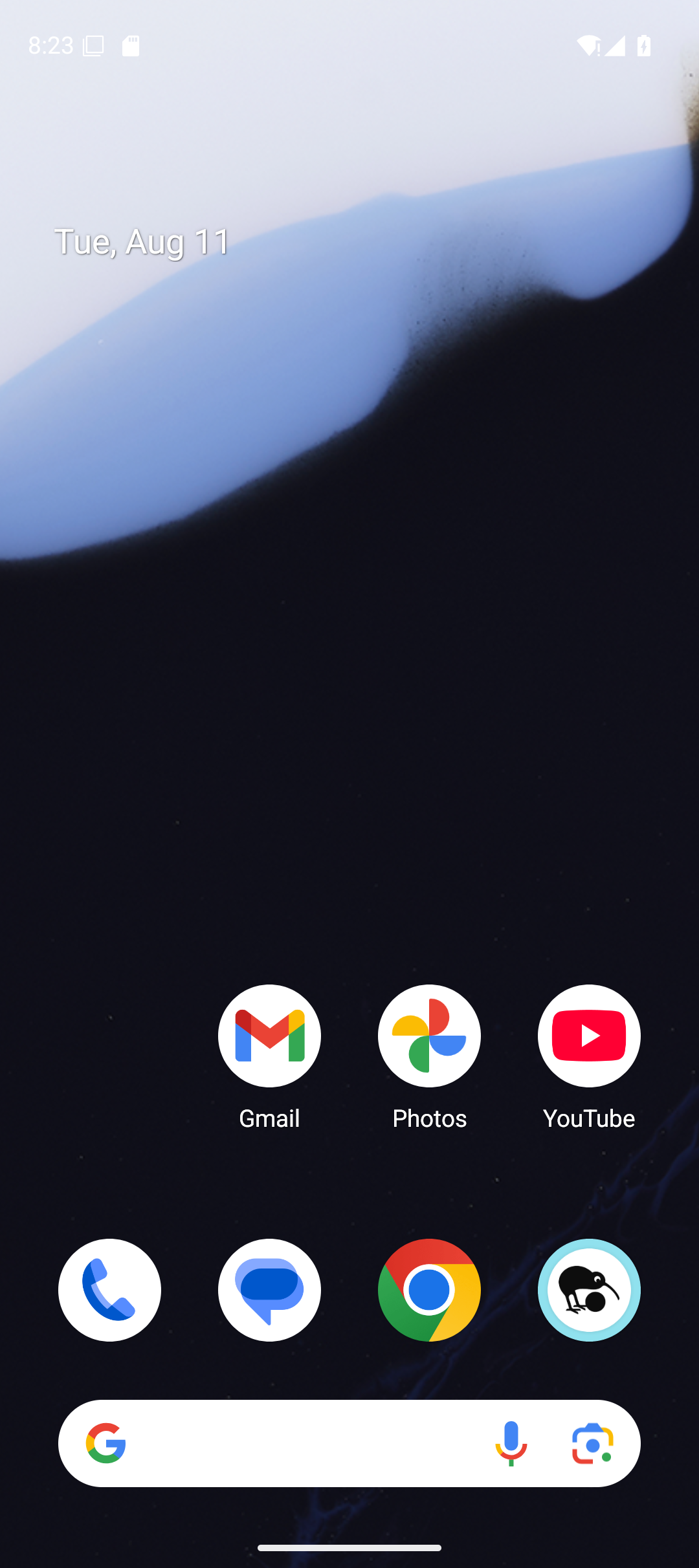
Fig. 5 Example screenshot captured before the Maestro flow ran.
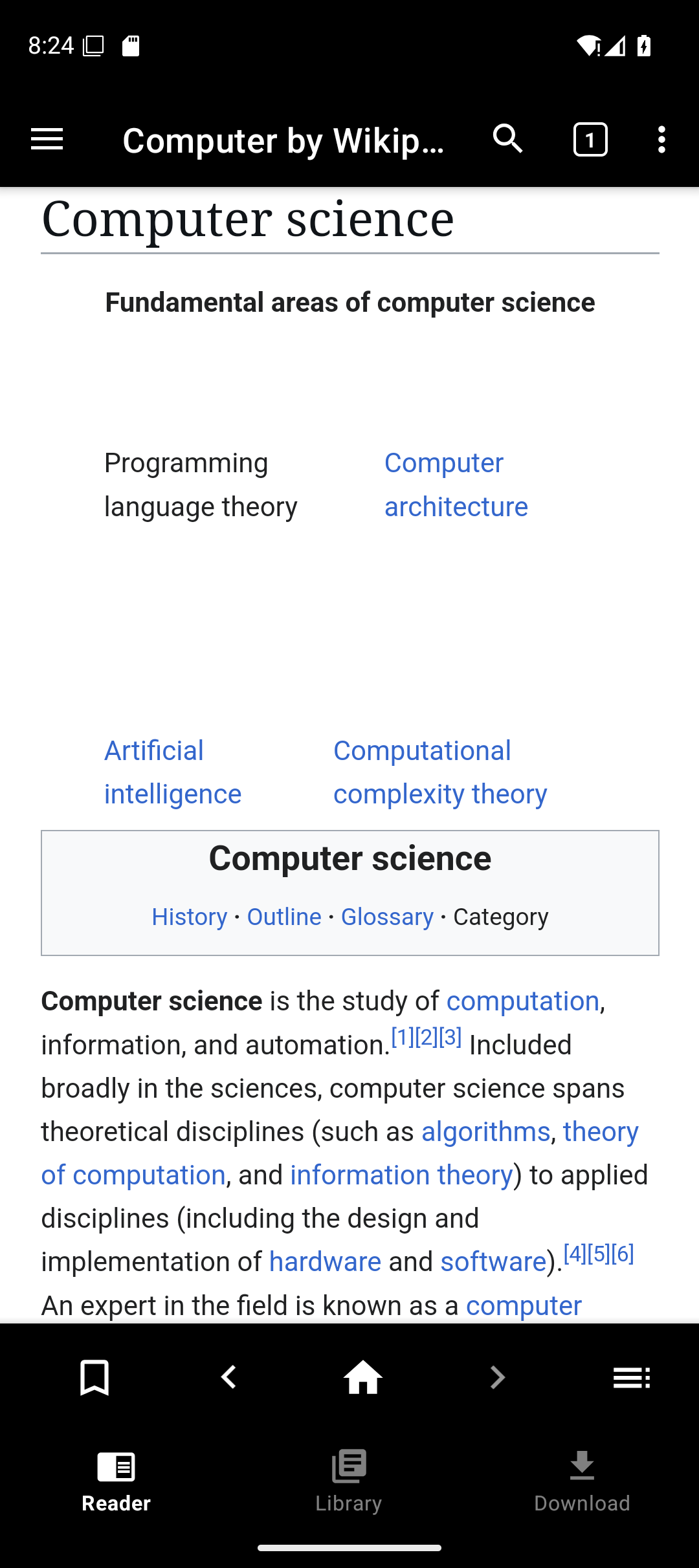
Fig. 6 Example screenshot captured after the Maestro flow ran.
Review Collected Application Data
The plugin collected:
/data/data/org.kiwix.kiwixmobile.standalone
In the default tutorial environment, FIREWHEEL writes transferred files under:
/scratch/firewheel/transfers/
For this tutorial, the collected data should be located at:
/scratch/firewheel/transfers/android-phone/data/data/org.kiwix.kiwixmobile.standalone
Check that the directory exists:
ls -lah /scratch/firewheel/transfers/android-phone/data/data/org.kiwix.kiwixmobile.standalone
Manual Debugging with scrcpy
scrcpy is useful when automation fails or when you need to interact with the phone manually.
First identify the runtime ADB serial:
adb devices

Fig. 7 Example adb devices output. The emulator serial shown here is only an
example; always use the serial reported in your experiment.
Start scrcpy:
scrcpy -s <adb-serial> --no-audio
For example:
scrcpy -s emulator-5554 --no-audio
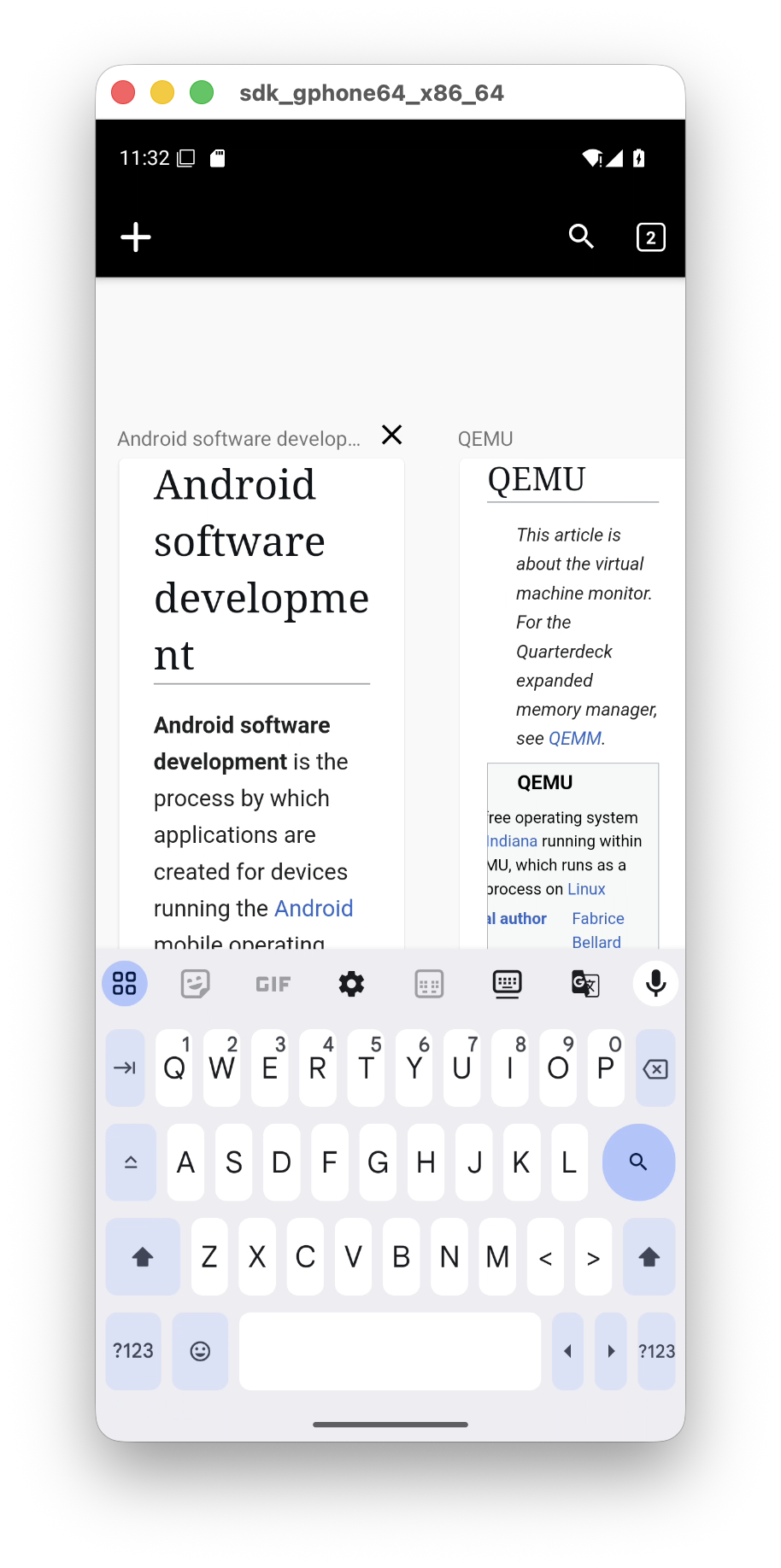
Fig. 8 Example scrcpy view of the Android emulator after launching Kiwix.
Note
If the Android emulator is running on a remote minimega host, forward both
the Android console port and the ADB port before using local ADB or
scrcpy. For example, if minimega reports console port 5554 and ADB
port 5555:
ssh \
  -L 127.0.0.1:5554:127.0.0.1:5554 \
  -L 127.0.0.1:5555:127.0.0.1:5555 \
  fw-server
If scrcpy cannot find the device, restarting the local ADB server often
helps:
adb kill-server
adb start-server
adb devices
scrcpy -s <adb-serial> --no-audio
Troubleshooting
APK install fails
Check the VM resource log:
tail -n 100 /scratch/firewheel/vm_resource_logs/android-phone.log
Common causes are a missing APK, a filename mismatch, an incompatible APK, or a split APK provided as if it were a complete APK.
ZIM file is missing
Check the staged file on the device:
adb -s <adb-serial> shell ls -lh /sdcard/Download/Kiwix
If it is missing, verify that
wikipedia_en_computer_nopic_2026-06.zim exists in vm_resources/ and
matches the filename in plugin.py.
Maestro flow fails
Inspect the most recent stdout, stderr, and screenshots:
find /scratch/firewheel/vm_resource_logs/maestro/android-phone -name maestro_stdout.txt -print
find /scratch/firewheel/vm_resource_logs/maestro/android-phone -name maestro_stderr.txt -print
Common causes include changed UI text, a different Android file-picker label, or
a wait that is too short. Use scrcpy and the UI hierarchy dump to update
kiwix_setup_and_load.yaml.
To inspect the Android UI hierarchy:
adb -s <adb-serial> shell uiautomator dump /sdcard/window.xml
adb -s <adb-serial> pull /sdcard/window.xml
grep -i -E "text=|content-desc=|resource-id=|clickable=\"true\"" window.xml
Collected data is missing
Check the VM resource logs and the expected transfer directory:
ls -lah /scratch/firewheel/transfers/android-phone/data/data/org.kiwix.kiwixmobile.standalone
Next Steps
At this point, you have a working Android experiment that installs an APK, stages offline content, uses Maestro to load that content, and collects application data.
Continue to Post-Experiment Analysis if you want to inspect the collected Kiwix files.